
Overview
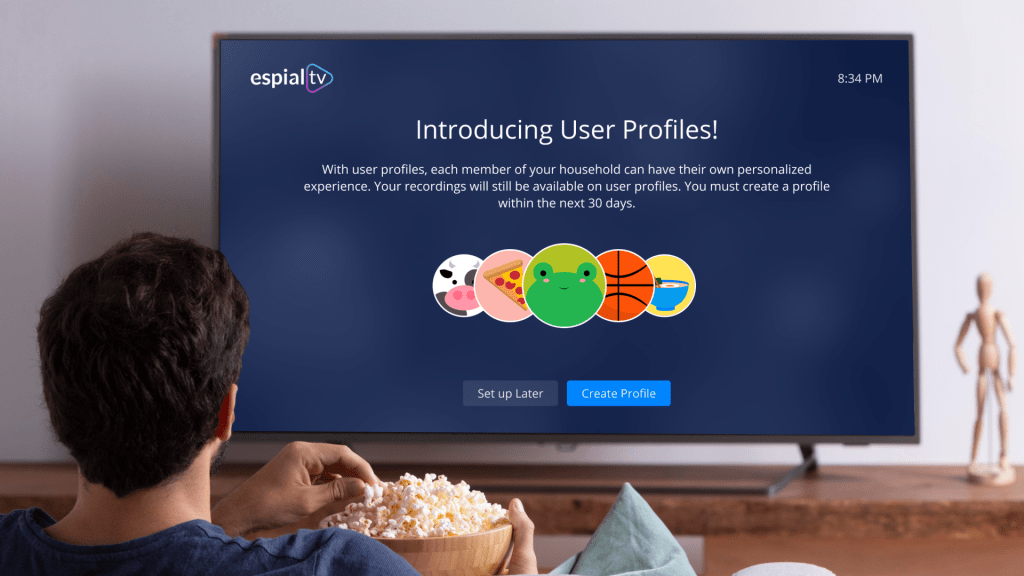
EspialTV is a white-labelled, B2B app for live TV streaming which runs on web, mobile and TV platforms.
In the year I joined Enghouse, EspialTV was predominantly a cable TV product and they were just venturing into IPTV. It wasn’t enough that they transfer their cable technology onto internet to sell their new IPTV product. You needed the oomph factor.
How to make live TV more personalised? That’s the oomph factor they wanted to target.
Problem
How might we personalize the live TV streaming experience to make it more engaging and tailored to individual user preferences?
Team
4 Designers, PM, PO, 4 Dev Teams
MY Role
UX Researcher, Visual Designer
Timeline
December 2020 – May 2022
Discovery
The goal of this phase is to discover a solution that meets user’s needs, technical feasibility and business goals.
We had a workshop involving all stakeholders to come up with ideas.
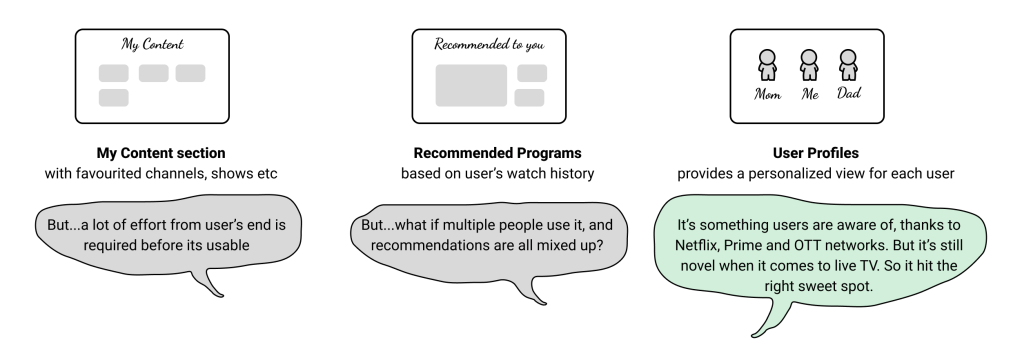
Out of all the ideas that we explored, User Profiles seemed to be a good first step.
Will this be even useful to users?
To answer this, we needed to know our users. From an earlier exploratory user survey, we know about 60% of our users share their account.
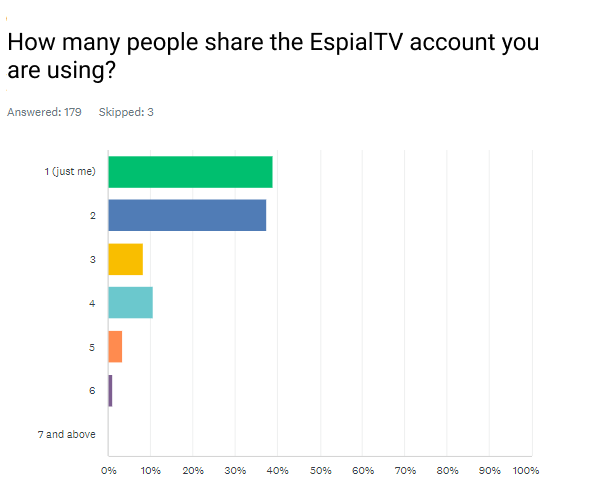
So it’s useful feature. Now time to make it usable.
It wasn’t as simple as let’s create a profile. Some key decisions had to be made:
- People stored favourite channels on a device. Where would that go now?
- Parental controls when set affects all programs. What happens when you have user profiles? Should parental controls be controlled by a parent profile? If so, how do you decide which profiles are parent profiles?
- What about programs already recorded? It goes into which profile?
- You can buy/rent movies and shows. Which profiles can now buy/rent?
With the intention of finding answers to above questions, we turned to data analytics to understand usage patterns.
Note: I can not publicly share the usage trends, so I’ll reserve this discussion for a 1:1 setting. Please contact me if you are interested to see my full work.
It was clear that User Profiles has more nuances to it on live TV than it has on Netflix or Prime.
Therefore an onboarding flow for user profiles is very important.
Ideation
The goal of this phase is to turn the useful feature into usable one.
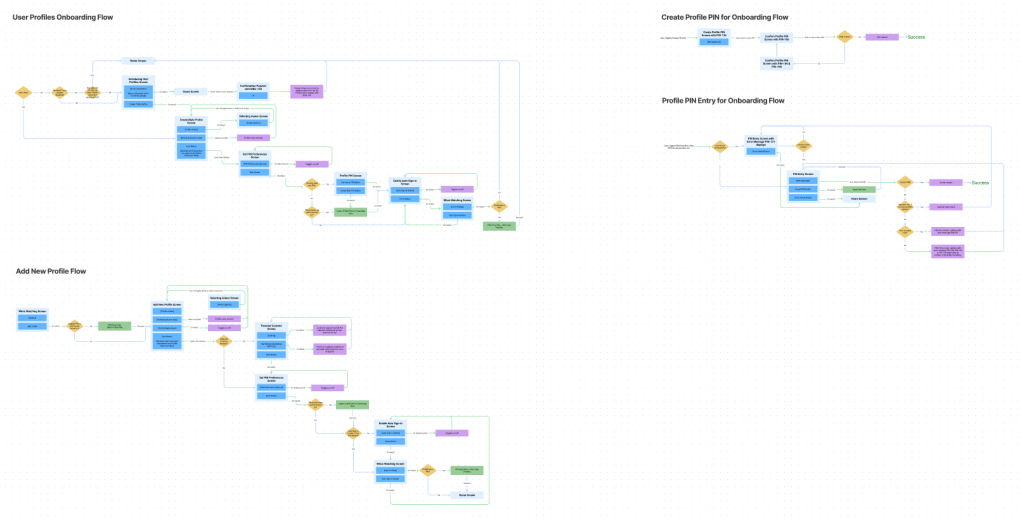
We started with the onboarding flow that introduces the feature to the user and allows them to create their first profile. It needed to be simple enough that anyone could create a profile, but at the same time prevent a kid from setting up the main profile and controlling everybody else’s profile.
Thus, we set to brainstorm the onboarding flow, PIN usage, the profile settings, the general settings etc…

Prototyping and testing
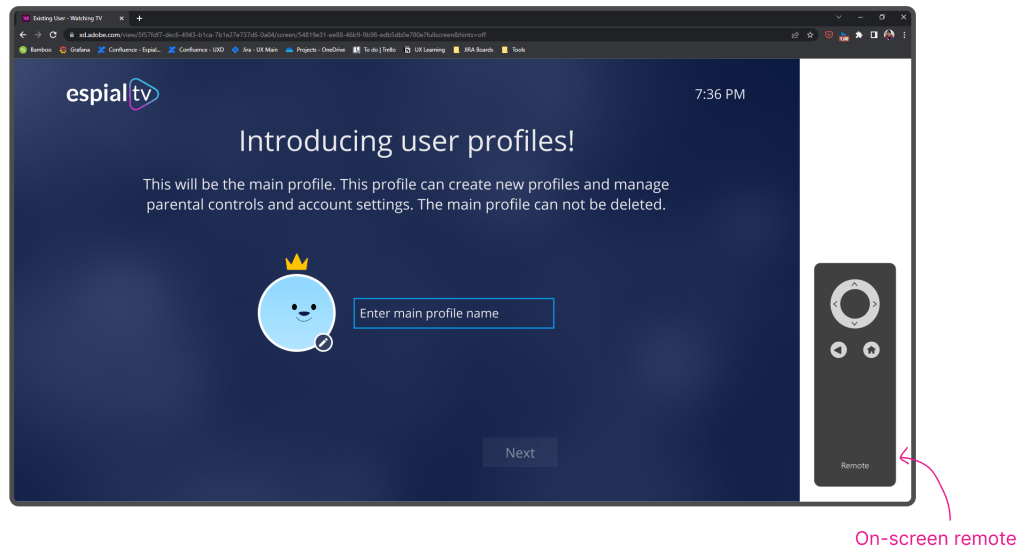
Once we had the initial designs ready, we wanted to prototype and test it. Since we wanted to run the usability tests online and the product is for the TV platform, we had to get creative.
We created a Figma prototype with a remote, such that the participants would have to use the remote to interact with the prototype.
ROUND 1
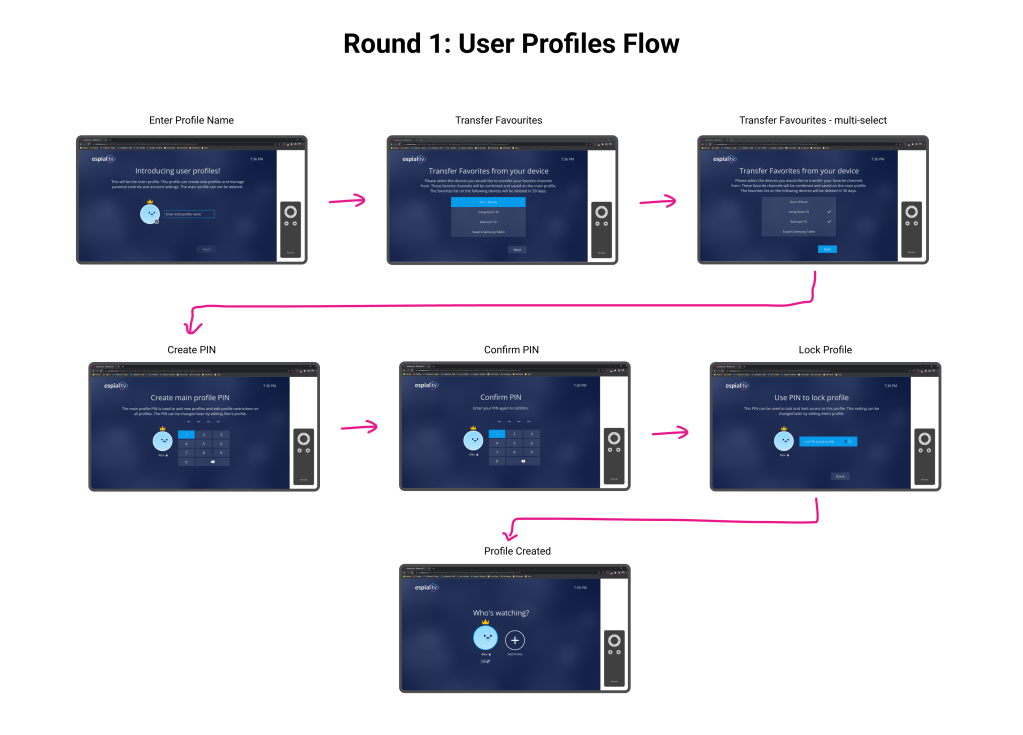
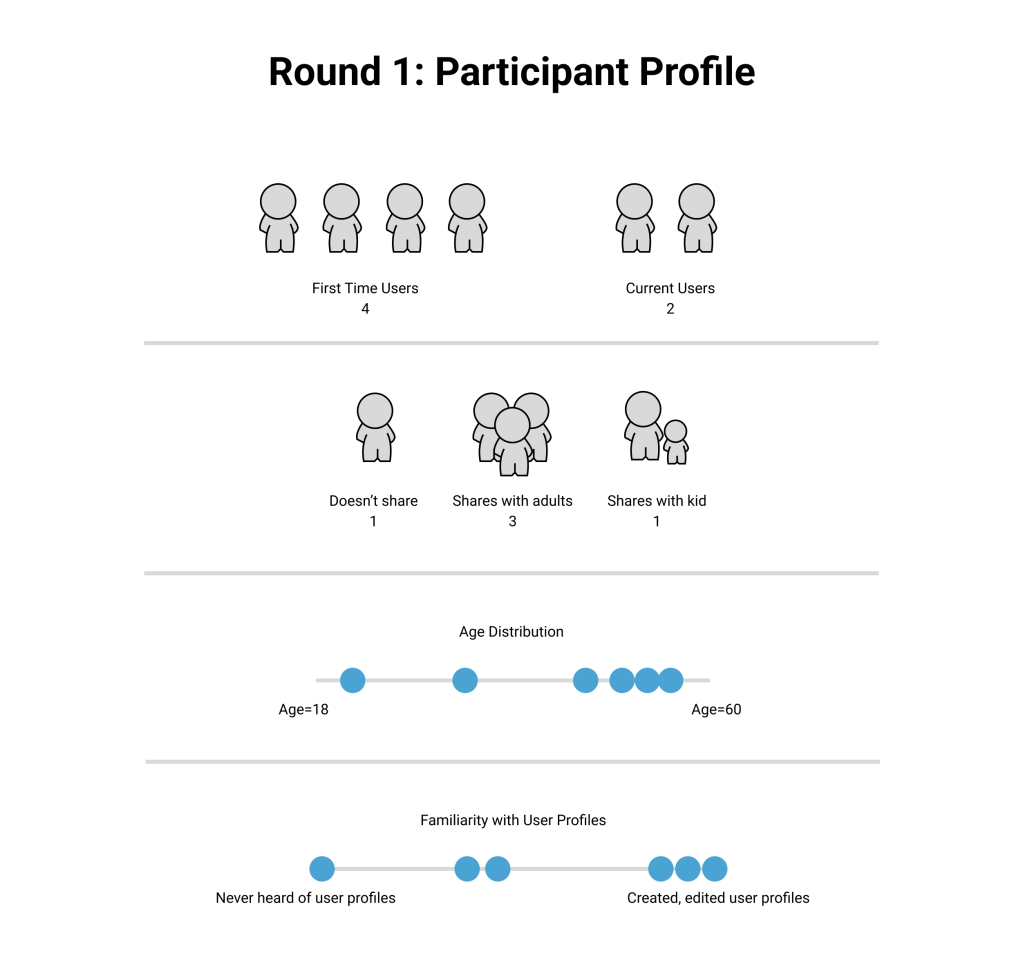
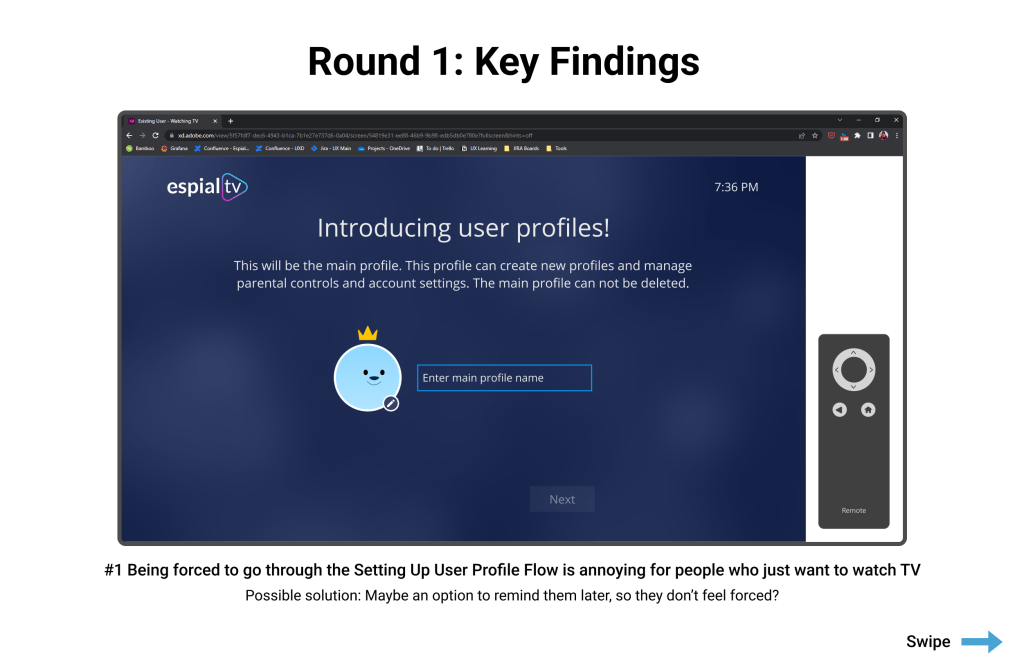
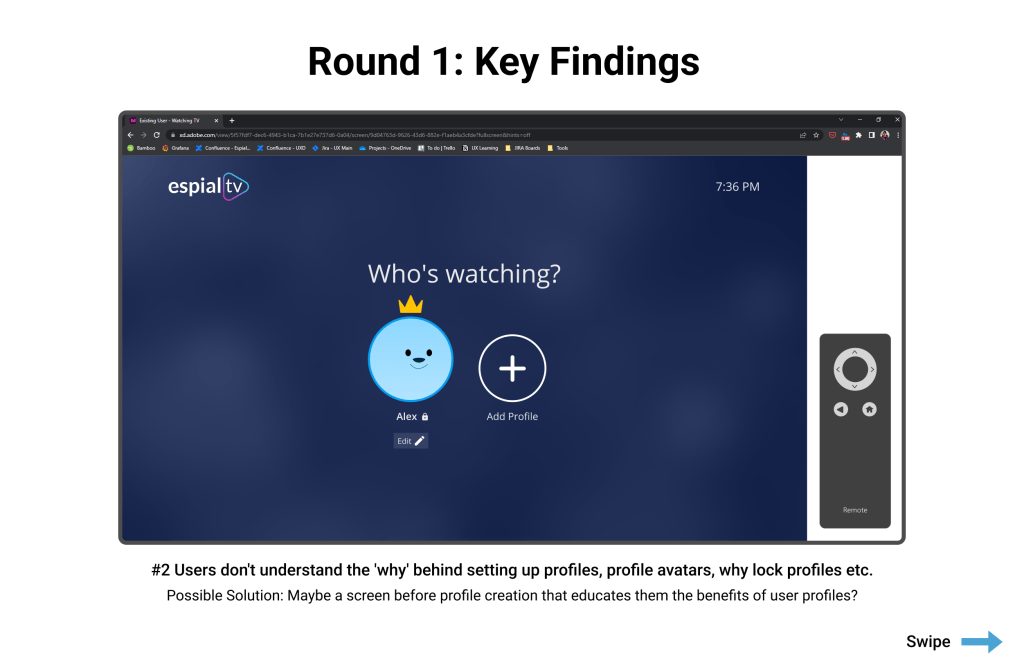
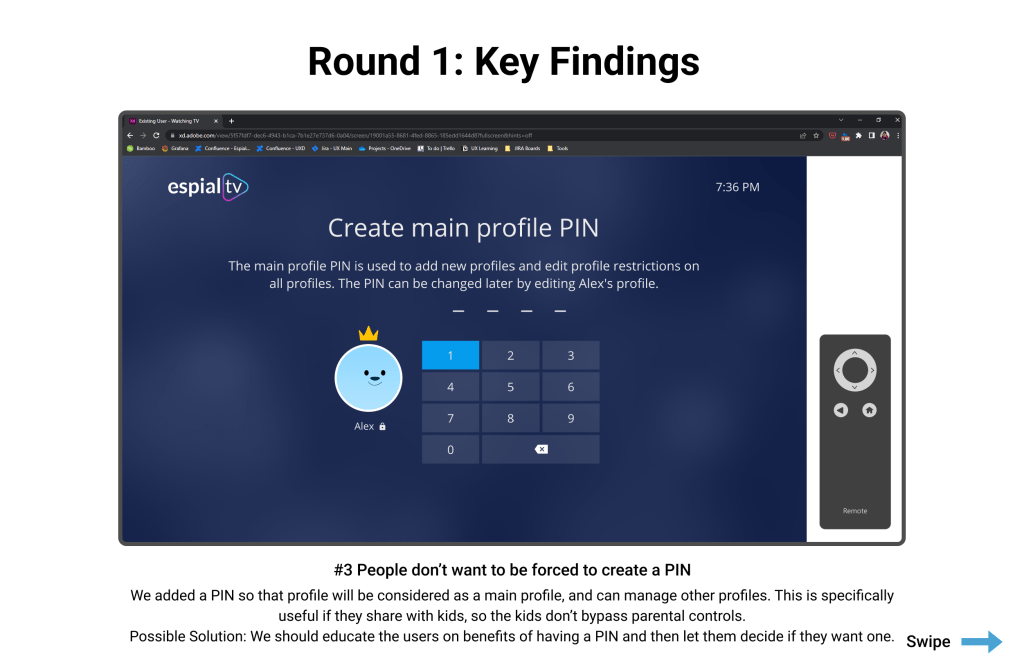
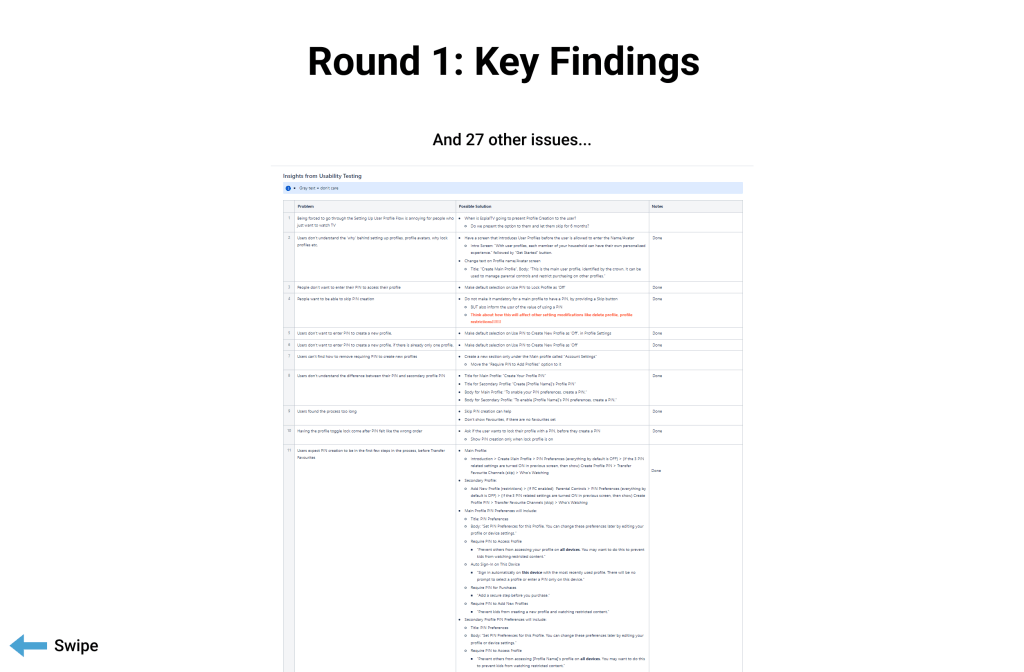
We went back to the drawing board and came up with more possible solutions. Time to test them with users!
ROUND 2
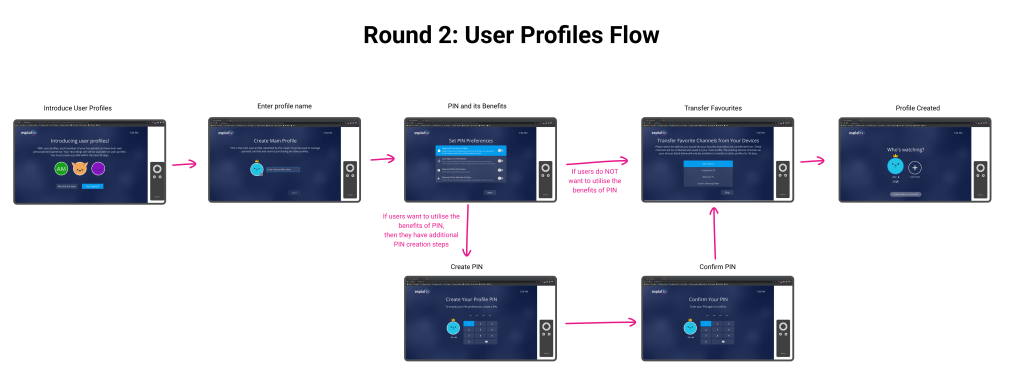
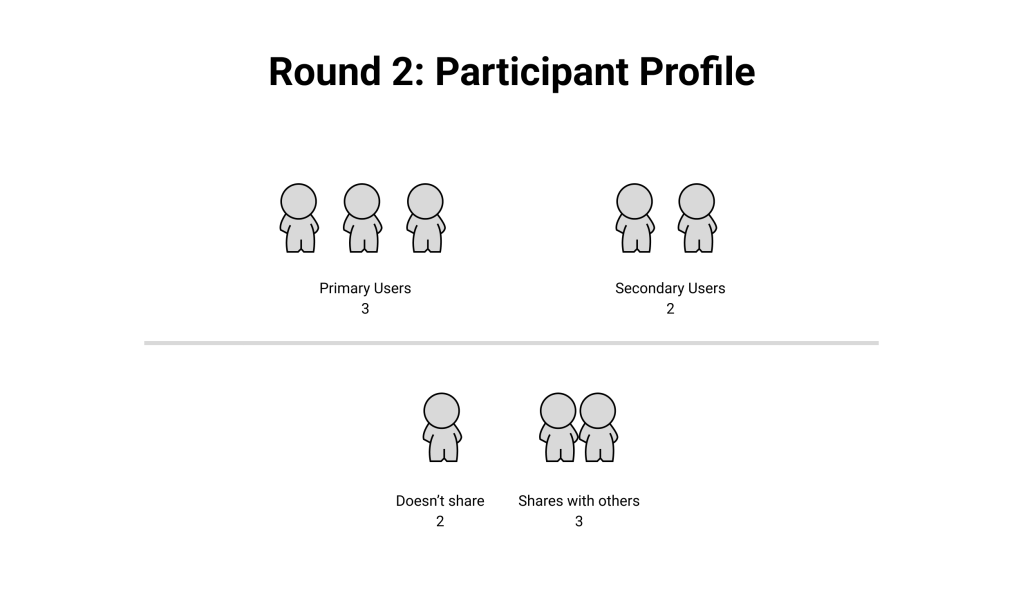
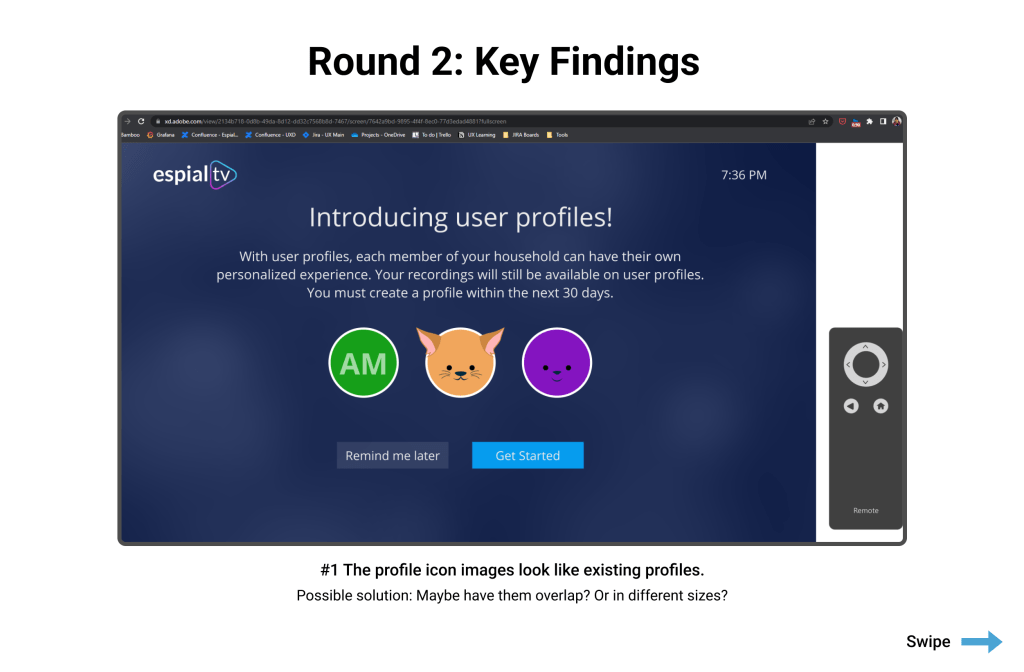
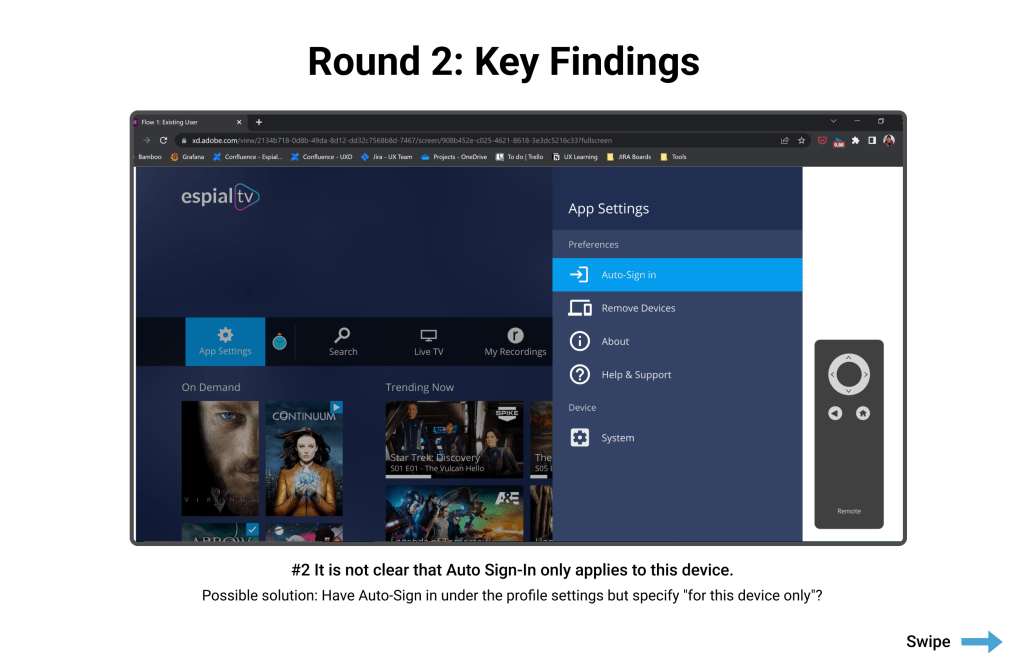
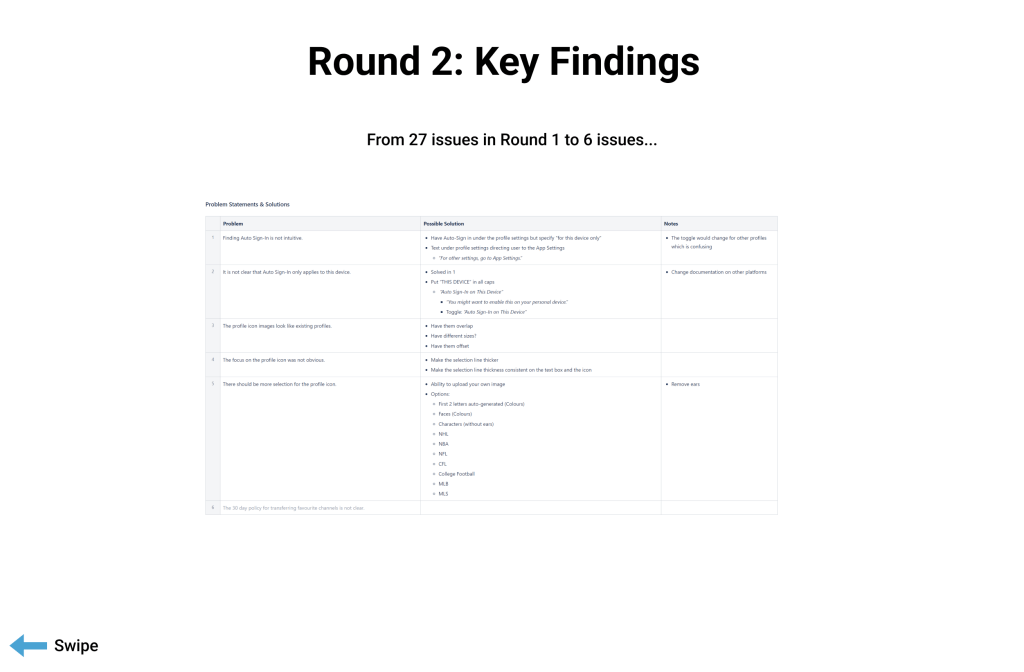
Did you notice the number of issues decreased from 27 in round 1 to 6 in round 2? This is how iterations improve a design!
What about stakeholder’s feedback?
We have seen how we captured user input. But did we value only users’ input? What about Engineering team’s feedback? Or the Business team’s feedback?
Of course we paid heed to them too, throughout the design process. Some decisions that came out of stakeholder discussions:
Input from Engineering team: It’s nice that we have ‘Remind Me Later’ button to not force users to create a profile immediately. But what if they put it off forever and we have to maintain 2 UIs and 2 databases?!
So we came up with the Force Update deadline, a 30-day deadline after which the users will be forced to update.
Input from clients: We don’t want users to create unlimited profiles and share the account with lots of people.
So we came up with a limit of 7 profiles. Engineering team was happy too!
Input from internal stakeholders: If a user doesn’t share EspialTV with others, should they land on Who’s Watching screen every single time?
Thus came the Auto Sign-In, which automatically signs you into the last used profile. This comes especially useful if you are on a personal device like a phone.
design specs, documentation and Hand-off
After we refined the designs and user flows, it’s a wrap!
Sorry, just kidding!
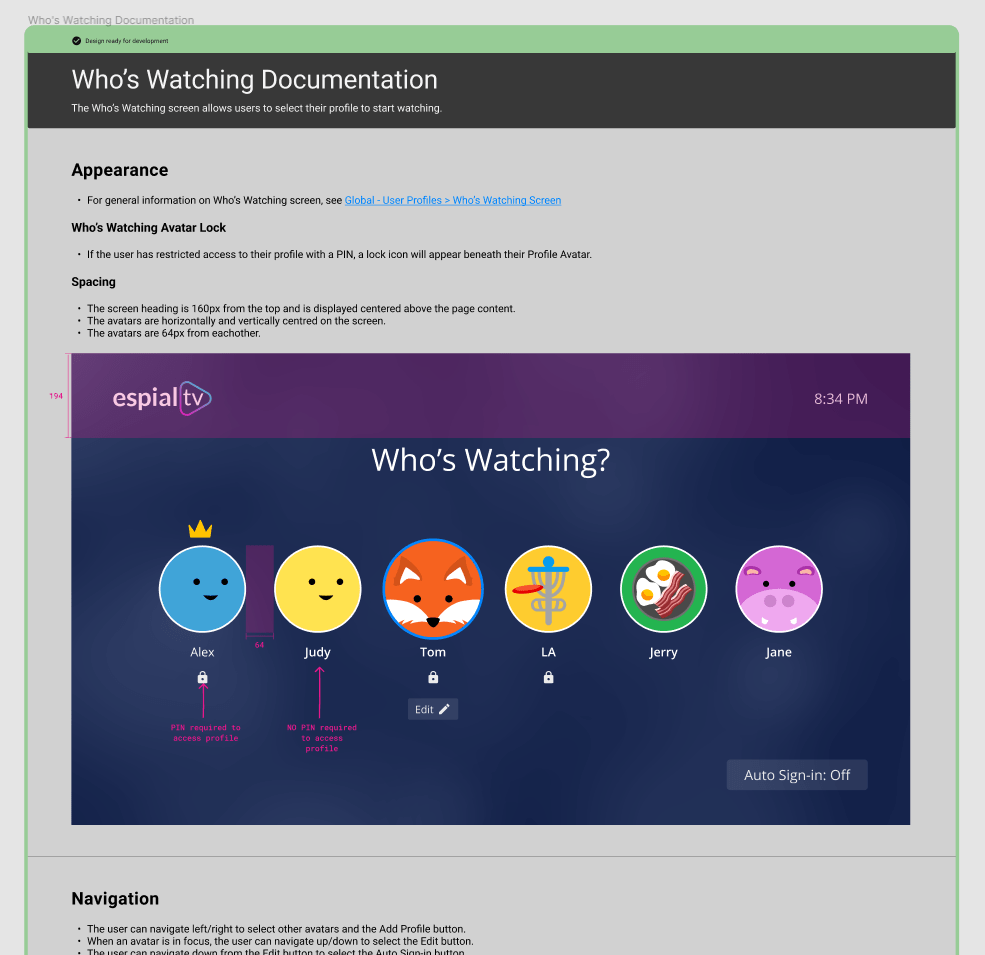
We had the Herculean task in front of us – to create the final, pixel-perfect designs, user flows and documentation… for SEVEN platforms!
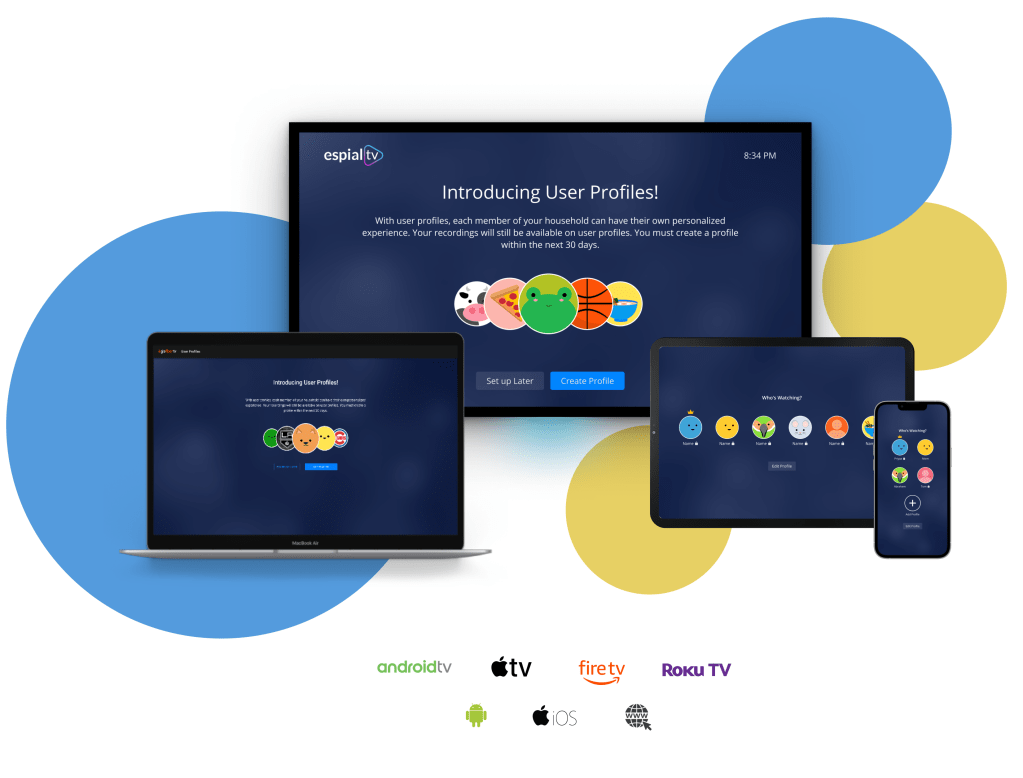
User flows
Documentation
Key takeaways
Now it’s a wrap. For real!
- Documentation is a necessary evil. I don’t love documentation, but it’s important if you want to maintain feature parity and design consistency across platforms. Honestly, it’s very handy – it’s like your personal notes! Remember that time when you thought you’ll remember the recipe, but then wished you wrote it down? That’s documentation for you.
- Iterate, iterate, iterate. That’s the only way your designs would get better.
- Designing for seven platforms is a challenge in itself. That thing that worked on TV won’t work on phone, and that thing that worked on phone will not work on web. But these are the good kind of challenges that sharpens one’s design skills!
 Priyaa Sathiyaseelan